Tutorial
Get started with Zulivio
From install to a full telecalling day. Each step links to the full documentation.
Install Zulivio
Run the one-command installer on Ubuntu or Debian, or use the Docker Compose or CasaOS route. The installer checks for everything else it needs.
Understand roles and access
A strict five-level hierarchy is enforced on the server for every request, so what each person can see and do is not just a checkbox in the interface.
Add your team
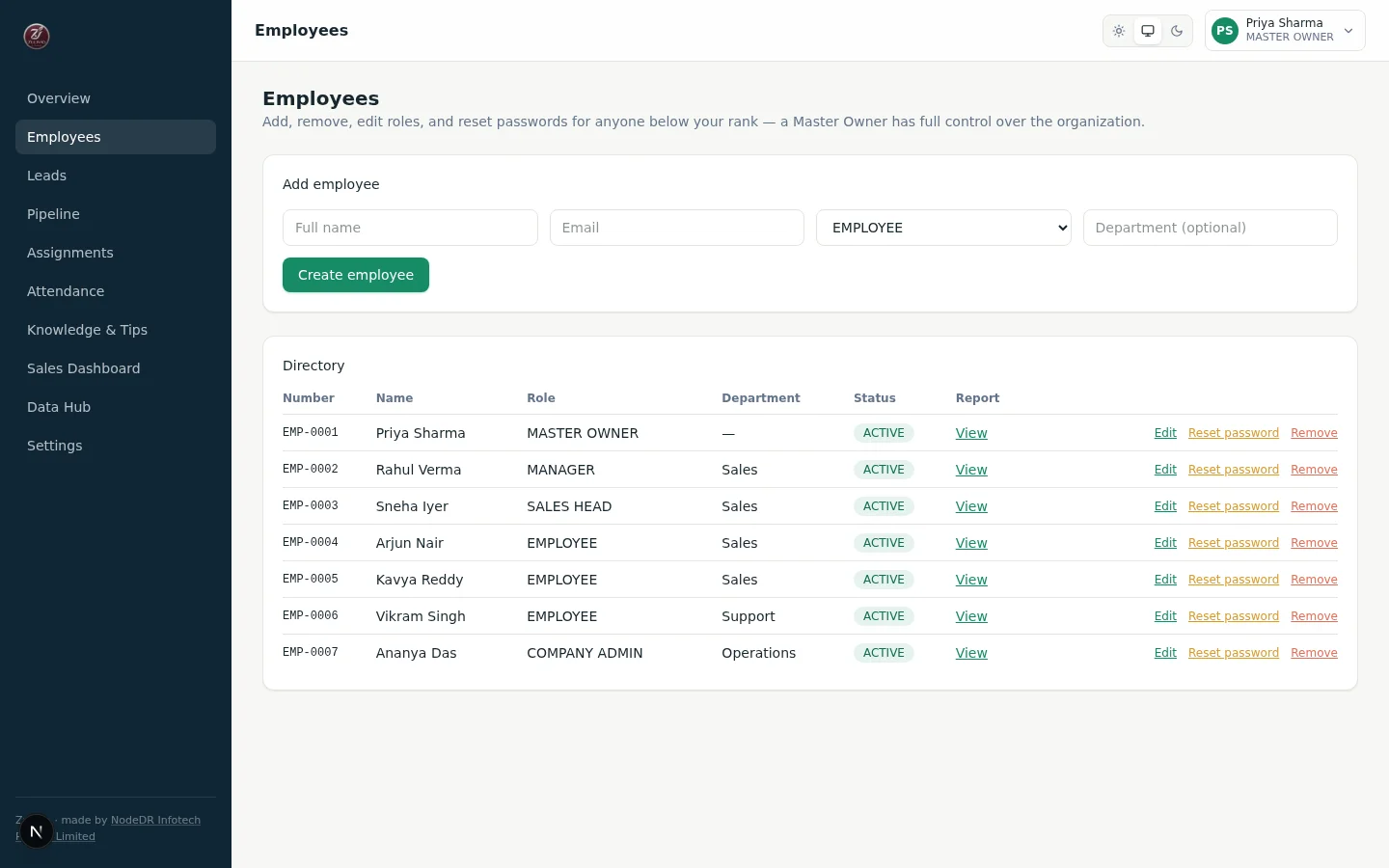
Add, edit and remove employees with auto-generated credentials. Every action is rank-guarded on the server.
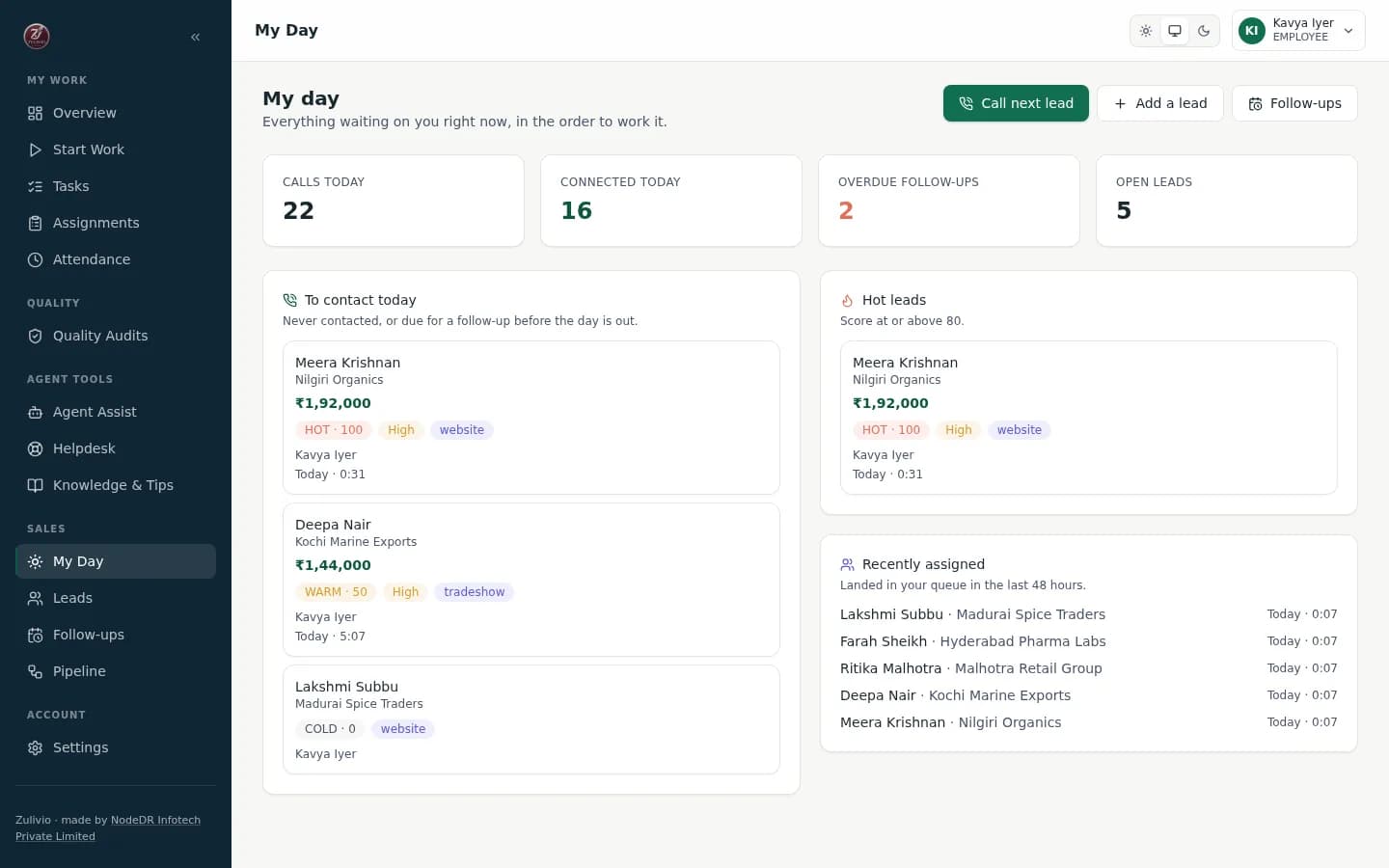
Start the day on My Day
The telecaller's queue shows who to call, what is due and what is running hot.
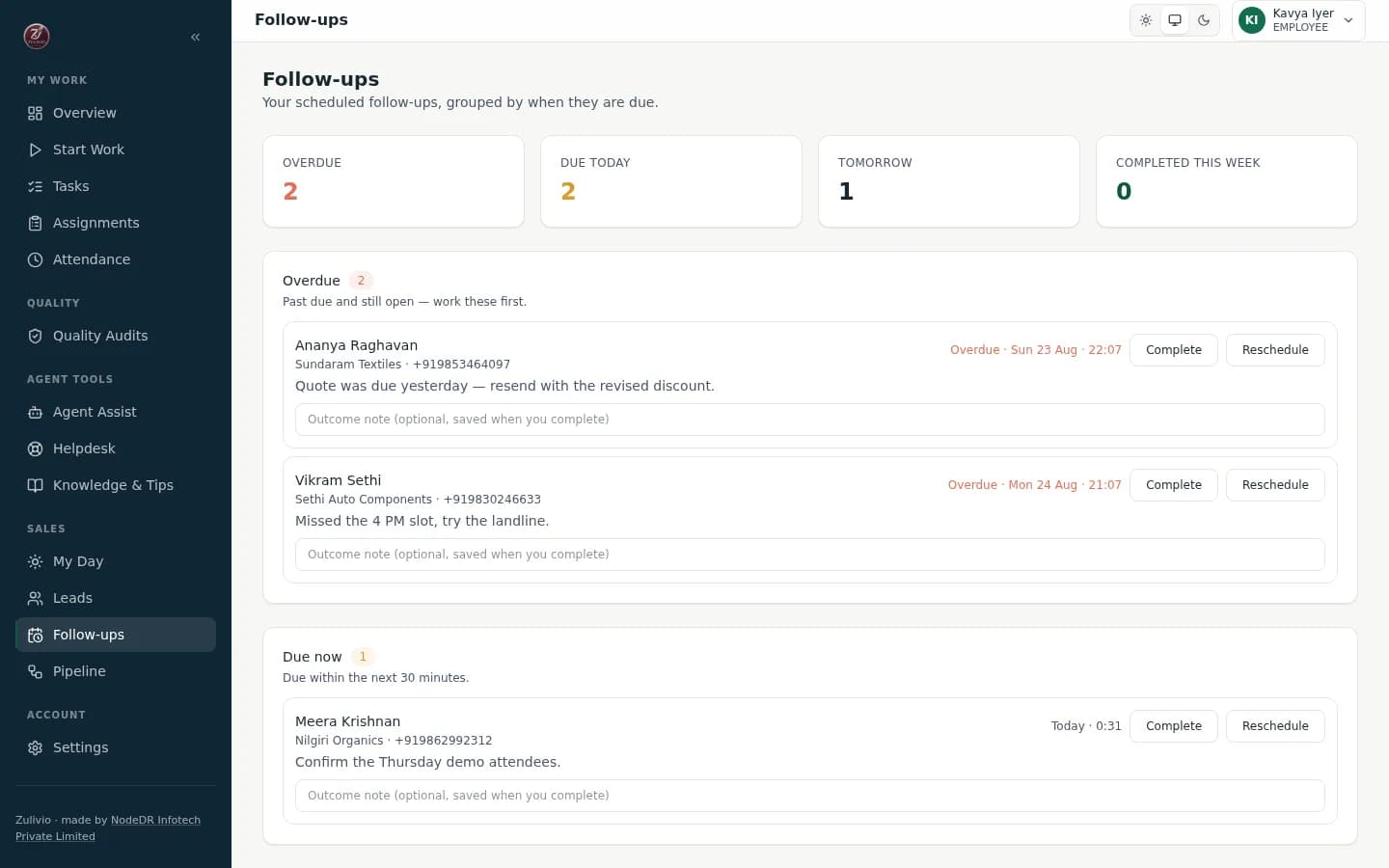
Keep follow-ups from slipping
Follow-ups are real due-dated records, grouped by when they are due and cleared without leaving the list.
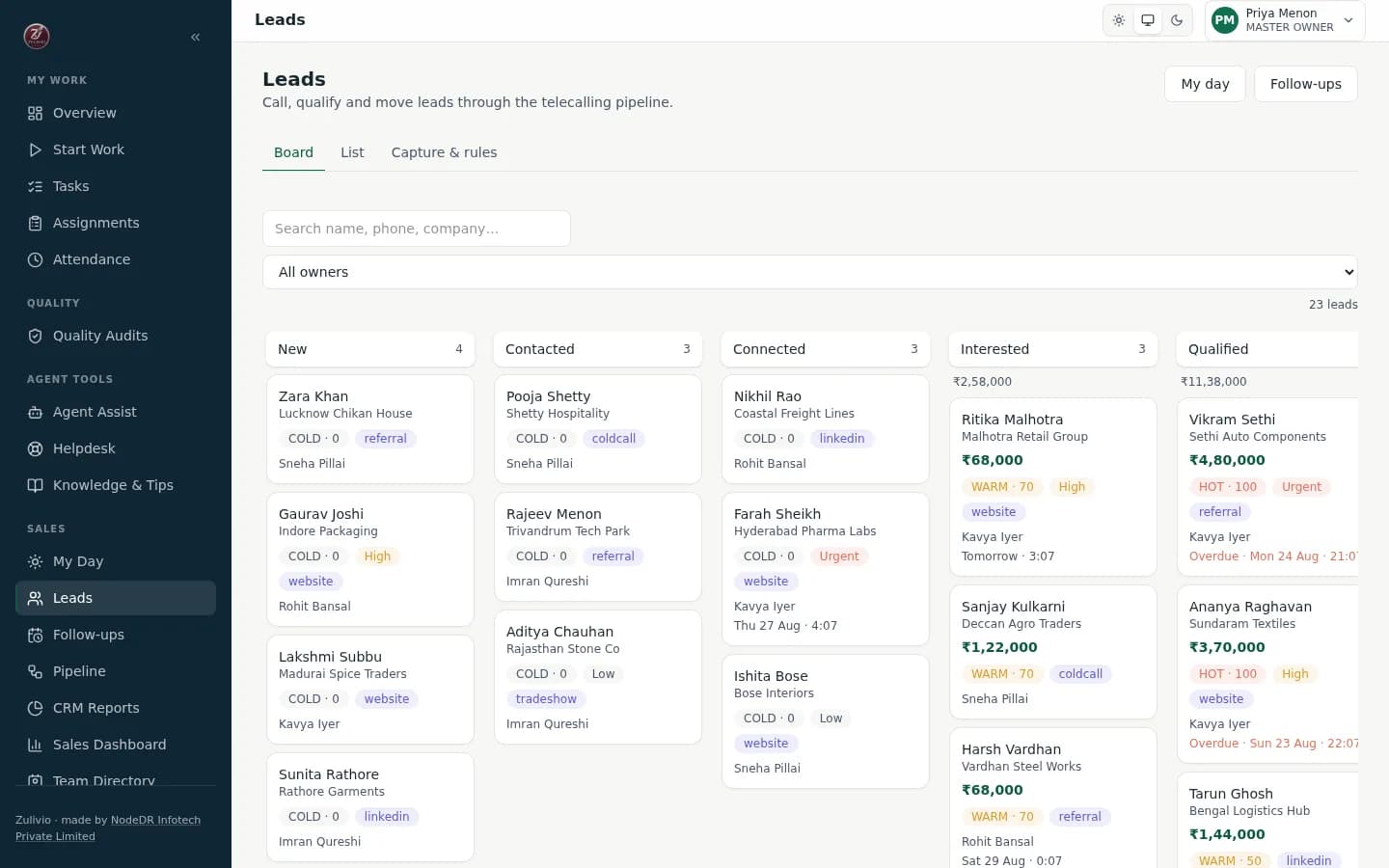
Move leads across the board
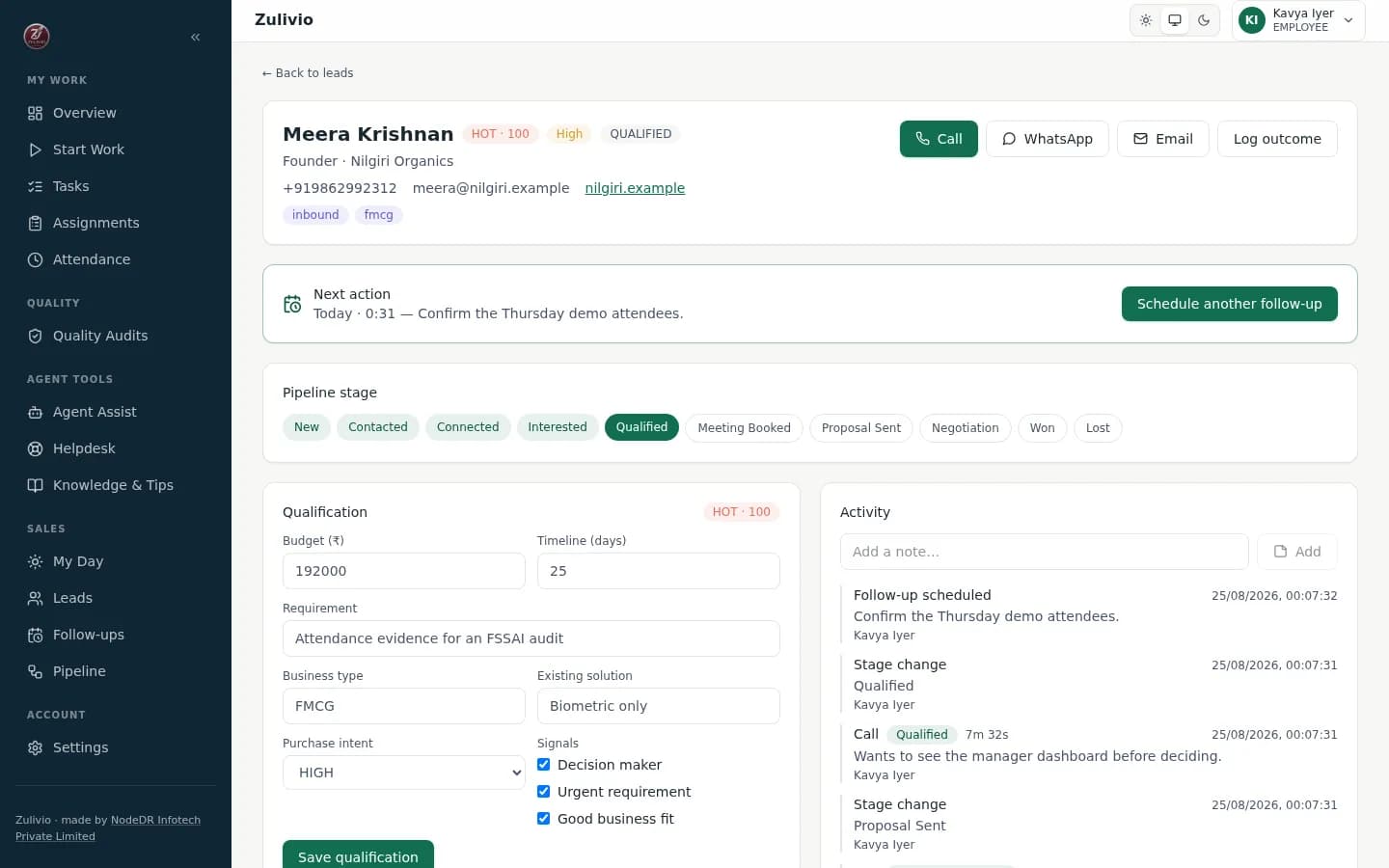
Drag a lead across the telecalling pipeline, or move it from its detail page. The qualification behind each stage is enforced.
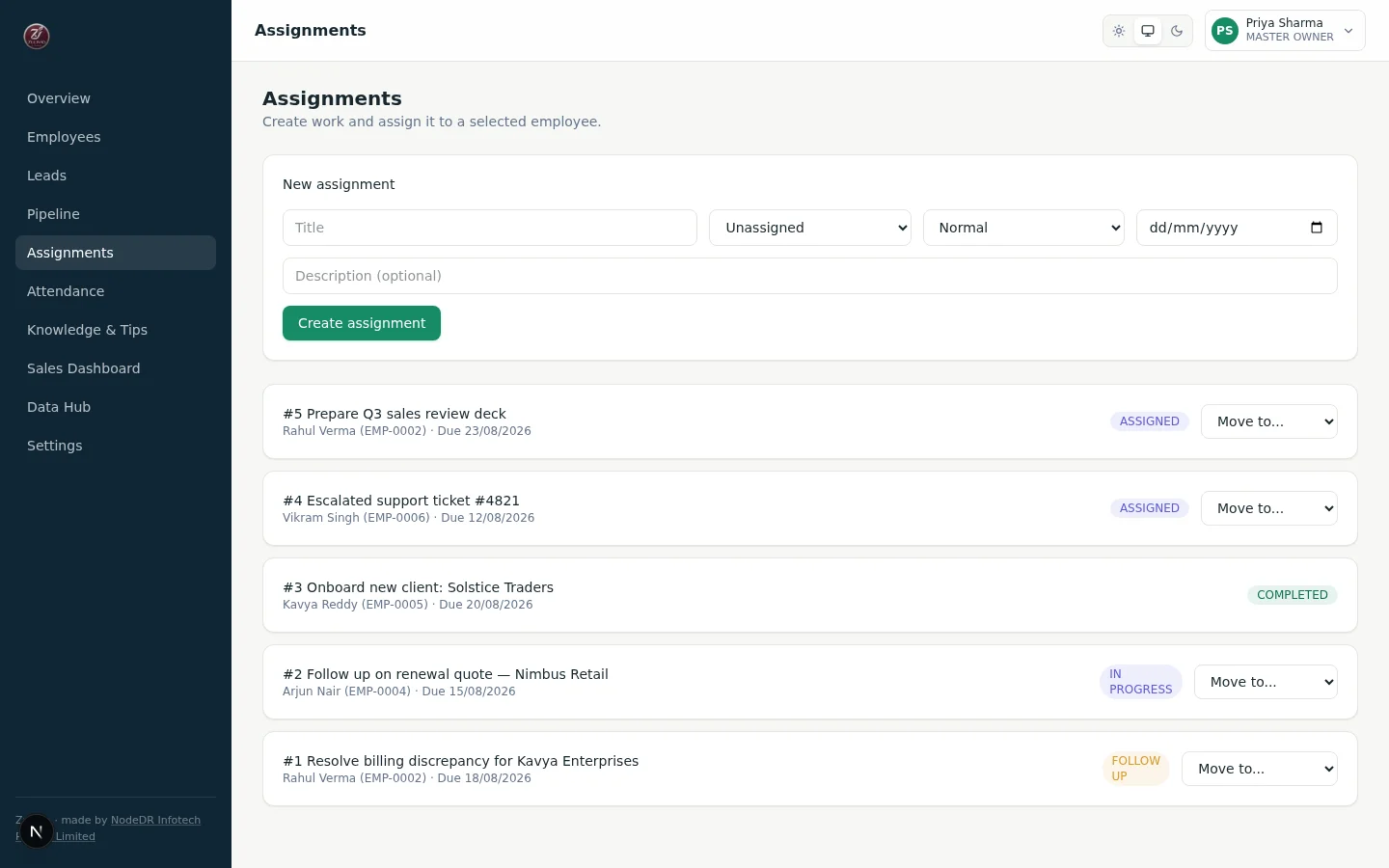
Assign work and track attendance
Create work, assign it to a specific employee and move it through a guarded status pipeline with a full audit trail. Attendance is an explicit shift and break state machine with server timestamps.
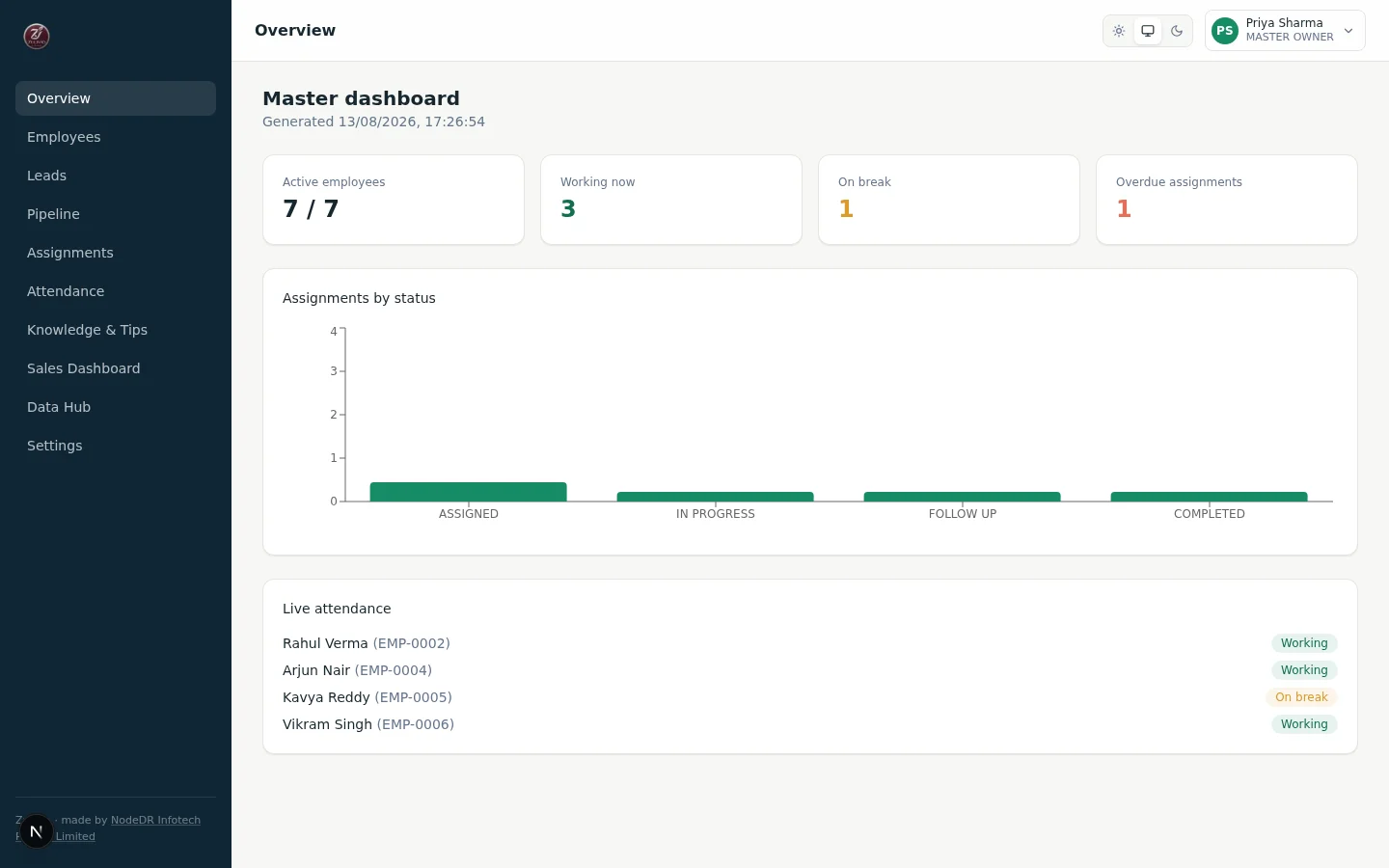
Review the dashboard and back up
One screen shows the organization's operational health, updated live. All data lives in PostgreSQL inside a named Docker volume, so back that up before upgrades.